
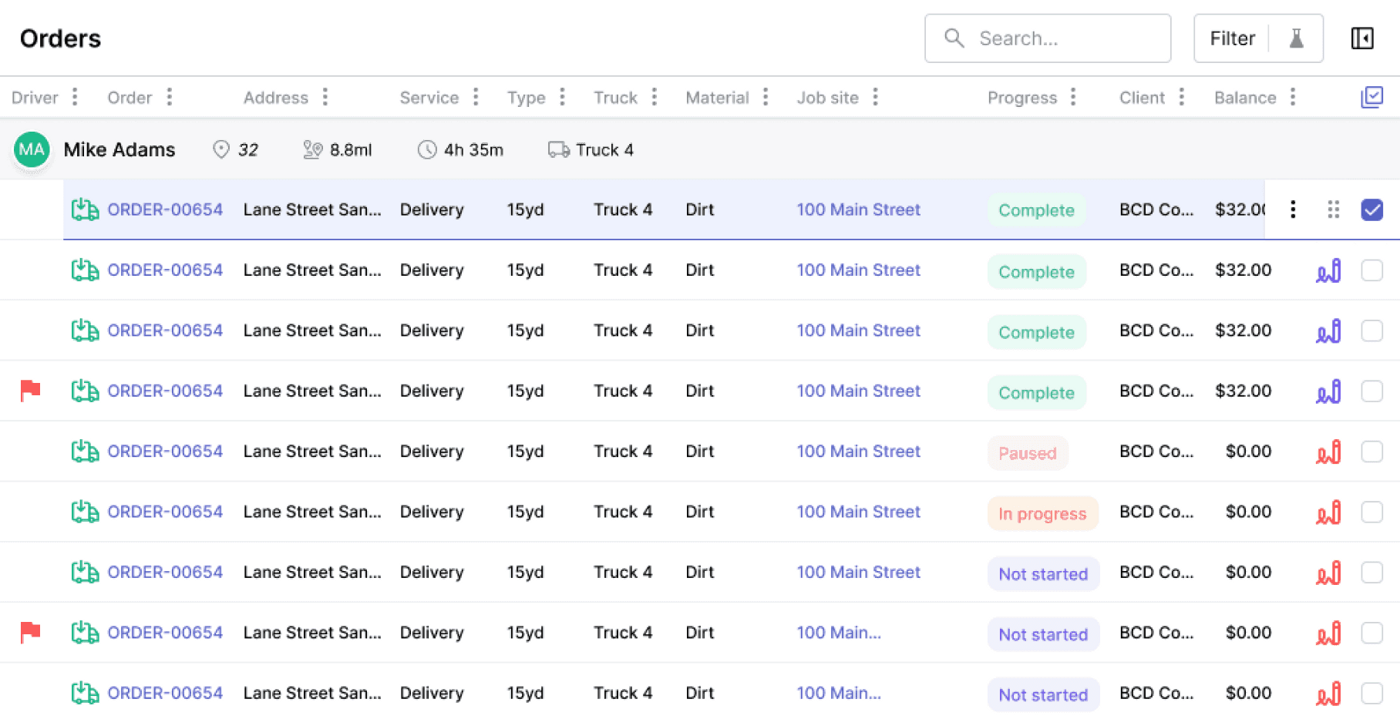
Commercial waste hauler software
Commercial waste hauler software for accounts, routes, contracts, and billing
Commercial waste hauling is account-heavy: parent customers, multiple service sites, containers, contacts, service frequencies, contract terms, seasonal changes, contamination, extra pickups, and billing rules. TrashLab connects commercial customer management, dispatch, routes, driver proof, customer portals, and billing so recurring service stays profitable and service issues are visible before they become churn.
Operating pain
Commercial accounts are too valuable for disconnected workflows
Commercial hauling margins depend on route density, contract accuracy, fast service recovery, and clean billing. When customer records, route changes, driver notes, and billing rules are split across tools, haulers miss extras, frustrate property managers, and lose visibility into account profitability.
Parent accounts and service sites are hard to manage when contacts, locations, and billing rules are disconnected.
Extra pickups, contamination, blocked access, and frequency changes do not flow to billing.
Customer service cannot see proof of service, route status, or site notes from the account record.
Commercial customers want statements, payments, and service history without calling the office.
Owners cannot see customer profitability, route density, churn risk, or service quality by account.
Contract renewals and price escalations depend on memory instead of structured workflow.
What to look for
Commercial hauler capabilities that matter
Commercial waste software has to manage account complexity while keeping daily dispatch and billing simple.
Multi-site account structure
Support parent accounts, service sites, billing contacts, site contacts, gate codes, container locations, contract terms, and pricing rules.
Recurring service routes
Plan and execute commercial routes with service frequency, service windows, exceptions, and route-level visibility.
Contract and exception billing
Bill recurring service, extra pickups, contamination, blocked access, disposal, escalations, and account-specific fees.
Proof of service
Capture photos, timestamps, driver notes, and exception reasons by stop and customer site.
Customer portal
Give commercial contacts access to statements, invoices, payments, service history, and service requests.
Profitability reporting
Report on revenue, service quality, missed stops, extras, AR, route density, and customer profitability.
Workflow
Commercial account workflow
TrashLab keeps commercial service connected from contract setup to route execution and invoice review.
Set up the account
Create the commercial customer structure once and reuse it across service, billing, and reporting.
- Parent account, service sites, contacts, billing contacts, and service instructions
- Pricing, service frequency, container details, and contract terms
- Portal access, statement preferences, credit holds, and renewal dates
Run recurring service
Execute commercial routes with the account details drivers and CSRs need.
- Send stop notes and site instructions to drivers
- Capture completed service, photos, blocked access, contamination, and missed stops
- Expose service status to customer service and account managers
Bill and retain
Use field proof and contract rules to bill accurately and keep accounts healthy.
- Review recurring charges and billable exceptions
- Let customers pay and view invoices through the portal
- Track profitability, AR, complaints, churn risk, and renewal opportunities
Checklist
Commercial waste hauler software checklist
Use this checklist when evaluating software for commercial collection, frontload, and multi-site accounts.
Supports parent accounts, multiple sites, contacts, billing contacts, and service contacts.
Handles recurring routes, frequency changes, extra pickups, and blocked access.
Connects route proof to account history and invoice review.
Supports contract pricing, escalations, contamination, disposal, surcharges, and custom billing terms.
Provides a portal for statements, payments, invoices, service history, and service requests.
Reports on customer profitability, missed stops, service quality, AR, and renewal risk.
Searches large customer, site, route, and invoice histories quickly with indexed filters.
Supports role-specific workflows for sales, account management, dispatch, billing, and drivers.
Next steps
Related commercial hauler resources
Frontload software
Frontload route and commercial collection workflows.
Customer portal software
Portal workflows for commercial customers.
Billing software for waste haulers
Billing workflows for recurring and exception charges.
Waste management software
The full operating platform across dispatch, billing, and CRM.
Waste dispatch software
Dispatch board, route status, driver app, and same-day changes.
Waste billing software
Recurring billing, exception charges, payments, and AR.
Waste hauler CRM
Customer accounts, service sites, quotes, and communication history.
FAQ
Questions haulers ask
What is commercial waste hauler software?+-
It is software for haulers that serve commercial accounts, multi-site customers, frontload routes, recurring service, contract billing, and account management workflows.
Can TrashLab handle multi-site commercial customers?+-
Yes. TrashLab supports parent accounts, multiple service sites, billing contacts, site contacts, service notes, pricing rules, contract terms, and service history.
Does commercial hauler software help with contract billing?+-
Yes. Contract pricing, recurring charges, extra pickups, contamination, disposal, surcharges, escalations, and custom terms can flow into invoice review.
Can customers view invoices and service history?+-
Yes. TrashLab supports customer portal workflows for statements, invoices, payments, service requests, and account history.
Can I report profitability by commercial account?+-
Yes. TrashLab can report on account revenue, route cost, missed charges, AR, service quality, and customer profitability.
TrashLab
See how the workflow fits your hauling operation
Bring real dispatch, billing, route, driver, and container examples. We will walk through how they work in TrashLab.
Talk to sales: (720) 262-2079