Waste Routing Software
Understand waste routing software, what it optimizes, and how route sequencing differs from route density for private haulers and municipal operators.
Plain-language definition
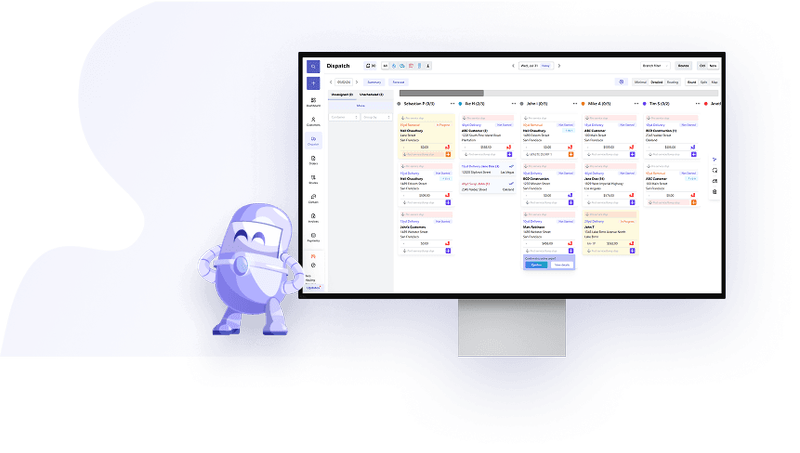
Waste routing software helps haulers sequence stops, manage route constraints, and keep dispatch and drivers aligned as work changes throughout the day.
Key operating signals
- Routes account for service windows, truck limits, and driver constraints.
- Dispatch can adjust same-day work without rebuilding the whole route by hand.
- Route performance can be reviewed against fuel, labor, and completion metrics.
Why it matters operationally
Routing quality affects fuel use, overtime, customer response time, and dispatcher confidence. When routes are built manually or based on memory alone, small inefficiencies compound across the fleet.
How software changes the workflow
Routing tools work best when they are tied to the rest of the operating system. In practice, operators want routing connected to dispatch, service proof, and billing so the route decision and the financial outcome stay in sync. That is why the garbage route planner conversation usually overlaps with route profitability calculator style reviews.
Related resources
Read waste hauling route optimization and how to improve route density for waste haulers for the operator view.
How this affects haulers
Routing and dispatch terms show up in daily service performance: route sequence, missed pickups, driver hours, same-day changes, customer calls, and billable exceptions.
How TrashLab handles this workflow
TrashLab keeps automated trash route scheduling, dispatch updates, driver proof, customer context, and billing handoff in the same workflow so route decisions turn into cleaner service records.
Related resources
Related guides, tools, and software
Use the glossary definition as a starting point, then jump into the workflow, benchmark, or calculator that makes the term practical.